Screen
Any LightBurn version
Beacon reads LightBurn's Laser panel with on-device text recognition — Windows OCR, or Apple's Vision on a Mac. Nothing leaves your computer. LightBurn's window must stay open.
For LightBurn · Windows & Mac
Beacon reads LightBurn and turns its status into a real stack light on the machine, a floating pill on your screen and alerts on your phone. Running, paused, framing or free — at a glance.
Free for noncommercial use · Windows 10/11 · macOS 12.3+
Green: the laser is free.
LightBurn shows its status in one panel, on one screen. But the laser is behind you, the lid is down, and you're at the bench sanding the last job.
Beacon puts that status where you can see it — and tells you the moment it changes.
Pick the one that fits your LightBurn version. Beacon handles the rest.
Any LightBurn version
Beacon reads LightBurn's Laser panel with on-device text recognition — Windows OCR, or Apple's Vision on a Mac. Nothing leaves your computer. LightBurn's window must stay open.
LightBurn 2.2 and newer
Beacon pairs with LightBurn's own REST API: exact state, exact progress and the open file's name, even while LightBurn is minimised. You approve it once in LightBurn.
Fastest, most accurate
The screen and the API together. Every change is dated from whichever saw it first, so job times are as precise as they get. If one source drops out, the other carries on.
The app, the pill and the light all say the same thing — in colour, shape and motion.
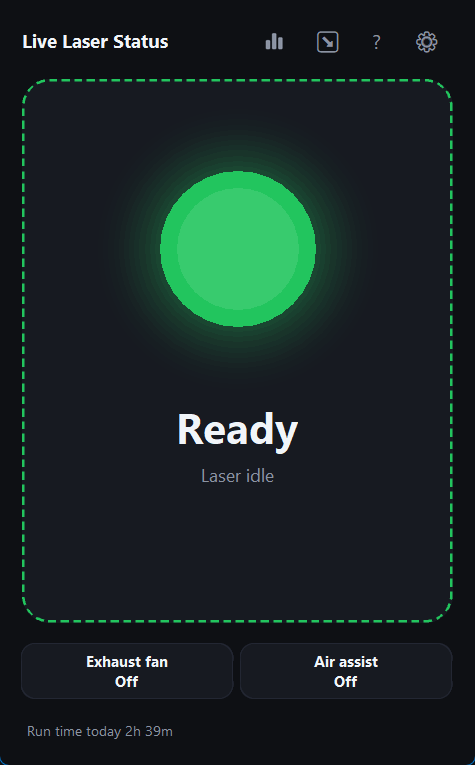
Ready
A steady green light and a calm, still outline. The last job's time is right under the status, and Beacon can tell you when the laser has been free for a while.
Framing
The dashed outline marches around the window and a ring turns around the orb — the same idea as LightBurn's framing line. The light can blink, so framing is never mistaken for idle.
Running
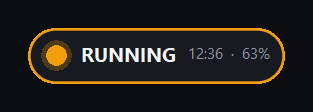
The orb's glow breathes while the laser fires. The file being cut sits in the header, with the run time, percent done and time left beneath — read straight from LightBurn.
Paused
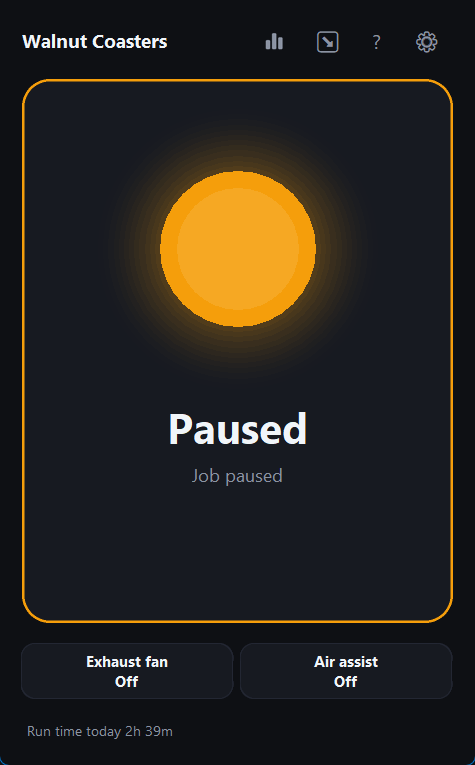
Amber on screen, red and green together on the light. Beacon can remind you when a job has sat paused too long, and a resumed job keeps its original timer.
Compact pill
One click turns the window into a small floating pill that stays on top of everything — status, timer and progress in a line. Double-click to bring the full window back.
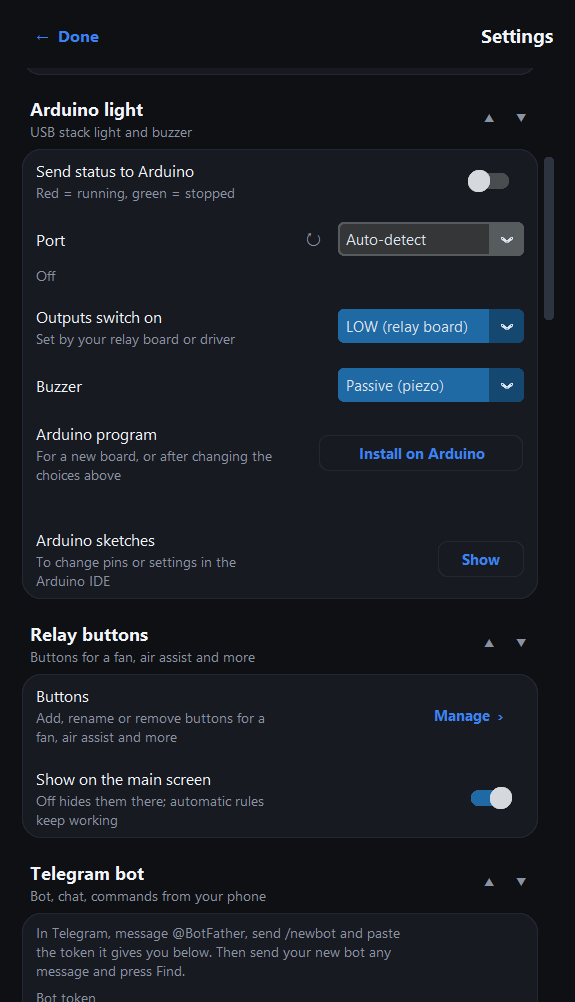
An Arduino Uno over USB or an ESP32 over Wi-Fi drives a stack light, a buzzer and up to nine relays. Only the light is needed — add the rest as you go.
Approximate part prices
| Arduino Uno R3 or clone | $10–25 |
|---|---|
| 12/24 V LED stack light | $15–30 |
| Power supply for the light | $8–15 |
| ULN2003 driver board | $2–4 |
| 5 V piezo buzzer | $1 |
| Basic light | ≈ $36–75 |
| Relay board, 1–8 channels | $5–12 |
| Flame, temperature, lid & flow sensors | $13–50 |
| or ESP32 for Wi-Fi instead of USB | $6–12 |
D10 red light    D9  green light
D8  buzzer       A1  button
A2  fire sensor  A3  temperature
A4  lid switch   A5  flow switch
D2 D3 D5–D7 D11–D13 A0 relays 1–9Wiring is an example, not a certified design. Mains-voltage work needs a qualified electrician — see the safety notice.
Beacon started as a status light. It grew into the control room for a small laser shop.
How Beacon knows.
The hardware side.
An extra pair of eyes.
Wherever you are.
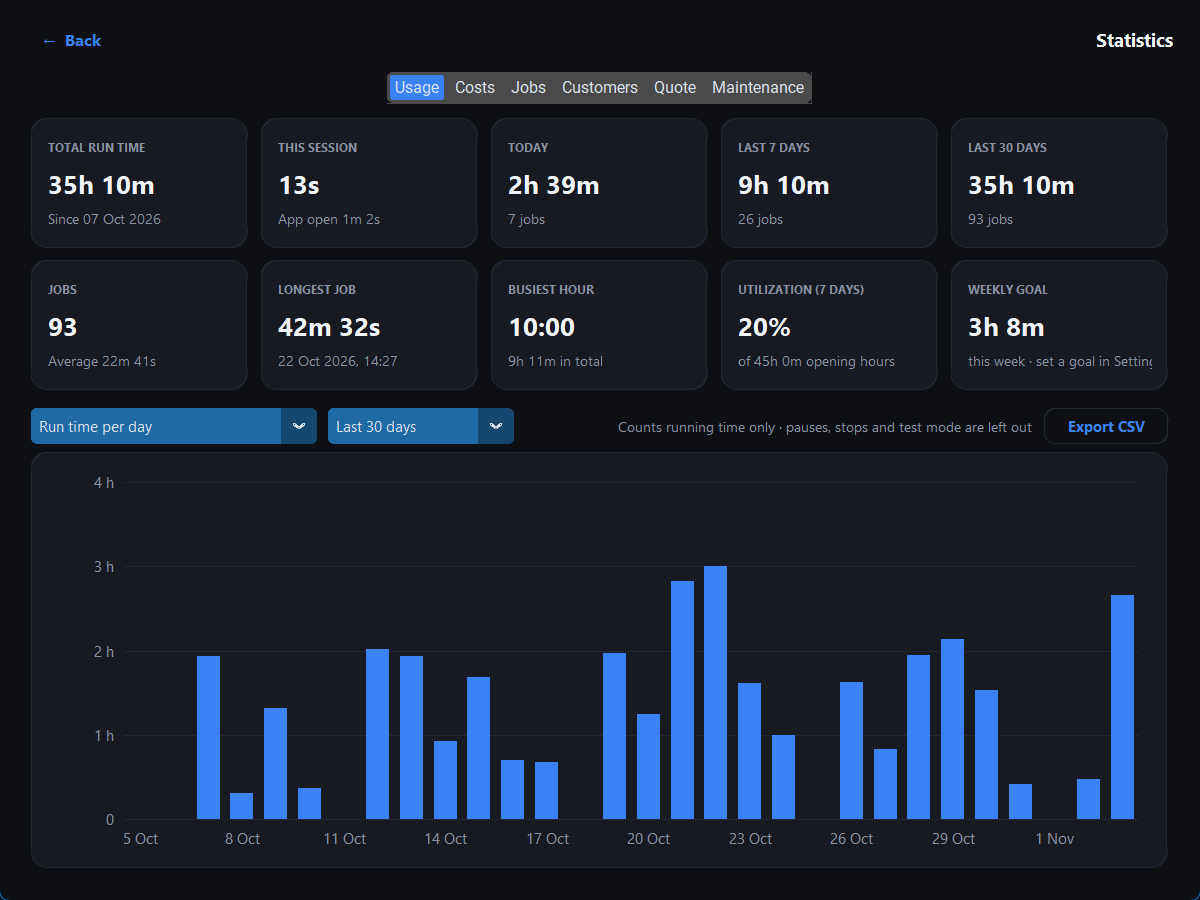
/status /today /week /relays /on fan /mute 2 /photo.Know your numbers.
Built to stay out of the way.
About LightBurn versions, controllers, hardware and your data. Step-by-step setup is in the guides.
Every version, by reading LightBurn's screen. With LightBurn 2.2 or newer, Beacon can also use LightBurn's own API, which is exact and keeps working while LightBurn is minimised. In screen mode, LightBurn's window has to stay open (not minimised).
Yes — use Screen mode. A Ruida controller runs the job by itself once LightBurn sends it, so LightBurn's API reports it as idle the whole time; reading the screen still sees the job.
Yes. Beacon was tuned on a JCZ fiber galvo: it tells red-dot framing apart from a real job even when LightBurn's API reports both as running.
No. The status window, floating pill, notifications and statistics all work on their own. The stack light is optional — an Arduino Uno, a 12/24 V tower light and a driver board cost roughly $36–75 in parts.
No. Beacon only reads LightBurn's status; it never sends commands to LightBurn or the laser. Its optional relays switch accessories you wire to them, such as an exhaust fan or air assist.
Yes: a Telegram bot (with commands like /status and /mute), Discord, Pushover, email or SMS, plus a live dashboard any phone on your Wi-Fi can open.
Yes, on macOS 12.3 or newer, on Apple Silicon and Intel. Screen mode needs the Screen Recording permission; API mode doesn't.
Yes, for personal, hobby and other noncommercial use under the PolyForm Noncommercial License. Selling Beacon or using it commercially isn't permitted.
No. Beacon has no telemetry and keeps its settings and job history on your computer. It only contacts the services you set up yourself, such as your Telegram bot.
Free for noncommercial use. Everything Beacon needs is in the installer.
The installer isn't signed yet. If Windows warns you, choose More info › Run anyway.
If macOS blocks it, open System Settings › Privacy & Security and choose Open Anyway.
All releases & release notes →
Beacon is provided as is, without warranty. Please read the disclaimer and safety notice before you install it or wire any hardware.